Main Window
In the left part of the program window you can see a tree of records, which displays all items in the current database.
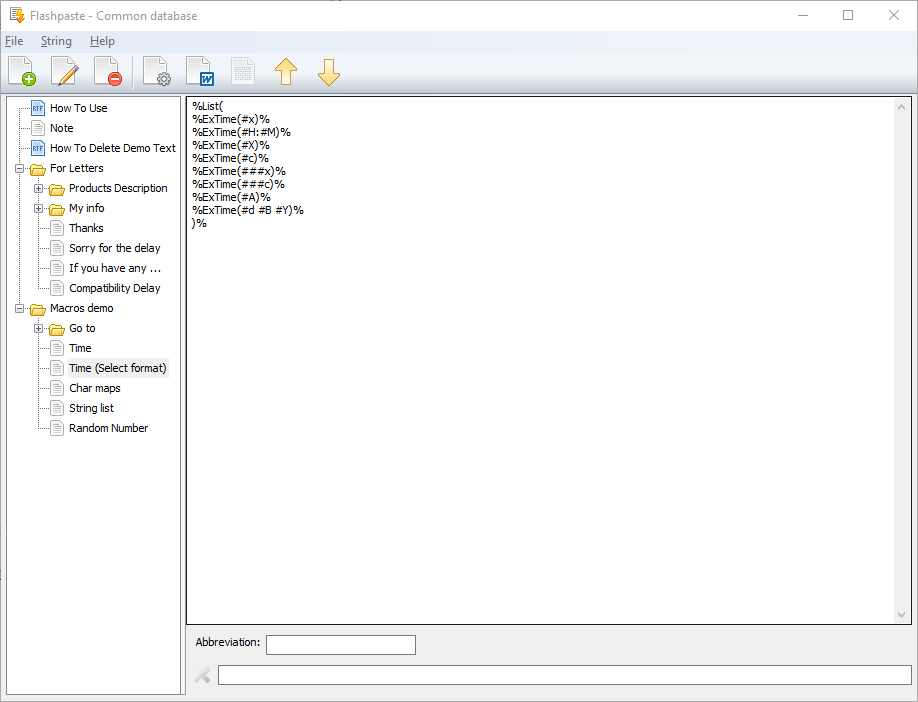
To the right, there is a record editing area. Its appearance depends on the type of the current record: it is either an edit field - for plain text, or edit field with formatting support. If the current selection is a folder, this area is disabled.
Managing lines
- You can add lines, edit and remove them.
- You can move them in the tree using drag&drop or toolbar buttons.
- You can quickly make a copy of a line or even of the entire tree node using drag&drop while holding the CTRL key.
- You can add macros using the String -> Insert macro menu item.
- You can change line format from text into RTF and vice versa.